Showing posts with label computer. Show all posts

March 8, 2016

[SOLVED] "error running shared postrotate script for '/var/log/mysql.log /var/log/mysql/mysql.log /var/log/mysql/mysql-slow.log '"

Recently I upgraded Linux on my home server and every day I would get this email:

Subject: Anacron job 'cron.daily' on server.local

/etc/cron.daily/logrotate:
error: error running shared postrotate script for '/var/log/mysql.log /var/log/mysql/mysql.log /var/log/mysql/mysql-slow.log '
run-parts: /etc/cron.daily/logrotate exited with return code 1


I first examined the /etc/cron.daily/logrotate script.
There was only one executable line: /usr/sbin/logrotate /etc/logrotate.conf

I next examined /etc/logrotate.conf and found this: include /etc/logrotate.d

logrotate.d is a directory of scripts to run.

Since my error message was for MySQL, I examined the /etc/logrorate.d/mysql-server script. One line in this script is
MYADMIN="/usr/bin/mysqladmin --defaults-file=/etc/mysql/debian.cnf"

I examined /etc/mysql/debian.cnf and found the cause of the error message:

user = debian-sys-maint
password = oMhAfEiEiO


It was the PASSWORD! There was a mismatch between the password in debian.cnf and the password for the debian-sys-maint user in MySQL.

Finally, I changed the password for debian-sys-maint in MySQL to the password listed in debian.cnf and the daily error message email stopped.

mysql -u root -p

use mysql;
update user set password=PASSWORD("oMhAfEiEiO") where user="debian-sys-maint";


It seems like every time I reinstall the backup of my databases on a new system I overwrite the password.

December 11, 2015

The 17 Standard CSS Color Names

The 17 standard colors are: aqua, black, blue, fuchsia, gray, grey, green, lime, maroon, navy, olive, purple, red, silver, teal, white, and yellow.

Color Name HEX Color
Aqua #00FFFF  
Black #000000  
Blue #0000FF  
Fuchsia #FF00FF  
Gray #808080  
Grey #808080  
Green #008000  
Lime #00FF00  
Maroon #800000  
Navy #000080  
Olive #808000  
Purple #800080  
Red #FF0000  
Silver #C0C0C0  
Teal #008080  
White #FFFFFF  
Yellow #FFFF00  

December 4, 2015

A Gnome 3 Script to Change Your Desktop's Wallpaper Every 5 Minutes

This is a Gnome 3 script to change your desktop's wallpaper every 5 minutes.

Copy this script to your ${HOME}/bin directory. Remember to make this script eXecutable.

Create a wallpaper directory in your Pictures directory and add your pictures.

Add the line "*/5 * * * * ${HOME}/bin/wallpaper.sh" to your crontab. It is set to run every 5 minutes. Enjoy!


#! /bin/bash

# crontab: run every 5 minutes
# MIN HR DOM MON DOW CMD
# */5   *  *   *   *   ${HOME}/bin/wallpaper.sh

DIR=${HOME}/Pictures/wallpaper

file_list=(${DIR}/*)
X=$[ $RANDOM % ${#file_list[@]} ]

DISPLAY=:0 gsettings set org.gnome.desktop.background picture-uri file://${file_list[${X}]}

The script is free, but explanations will cost extra.

November 13, 2015

USB Serial Port Converter for Wine

I installed a Windows program on my Debian laptop that interfaced with a radio receiver. The purpose of this program was to allow for the reading & writing of the radio's memories. The connection to the radio was through a USB to Serial converter.

First, I installed Wine (originally an acronym for "Wine Is Not an Emulator"), from the Debian Repository. Then, I could install the Windows program from its CD. When the program is first run, it asks for the COM port number. Because there are no COM ports, this is where the challenge began.

I did some searching with Google and found that the first step was to add a link in the Wine subdirectories for the USB to Serial Port device. There were several suggestions on how to locate & identify the device. The simplest method was in a Terminal window and issue the dmesg command right after plugging the device into a USB port.


jerry> dmesg | tail
[  108.678576] usb 2-1.2: FTDI USB Serial Device converter now attached to ttyUSB0
[  108.679609] usbcore: registered new interface driver ftdi_sio
[  108.678613] ftdi_sio: v1.6.0:USB FTDI USB Serial Converters Driver

Note the line that indicates the USB device is "ttyUSB0".

With this device name, I added a link in the Wine subdirectory identifying this device as "COM1"


jerry> ln -s /dev/ttyUSB0 ~/.wine/dosdevices/com1

When I attempted to run the program, it was not able to connect to COM1.

I did some more searching and the answers were of two opinions. Either "it worked for me" or "it doesn't work" with only one person actually noticing what was wrong. The permissions for ttyUSB0 were wrong and the solution involved writing a short script to run which would set ttyUSB0 permissions to allow access.

When I examined ttyUSB0, this is what I saw:


jerry> ls -l /dev/ttyUSB0
crw-rw---T  1 root dialout   4,   6 Nov 18 20:34 ttyUSB0

The device is accessible to only root, the owner and to the "dialout" group, but has no world access. This explained why the one solution required a script to grant access to the device.

However, I realized there was a simpler solution that did not involve running a script every time I wanted to run my program. All I had to do was add my username to the dialout group.

Using a text editor, like vi, you will have to edit the group file, but since it is owned by the root user you will need superuser permission.


jerry> su
Password:
root> vi /etc/group

Locate the line that begins with "dialout":


dialout:x:20:

Add your username to the dialout group:


dialout:x:20:jerry

Save the group file and exit your text editor.

Now, when I run the Windows program and select COM1: I could finally say "this works for me".

January 1, 2001

Welcome to GoodGreyhound.com

I thought I should share my thoughts & experiences with owning greyhounds. I get much pleasure from being around these wonderful dogs and thought I should share this with others. Besides, I like talking about my dogs.
My Five Hounds
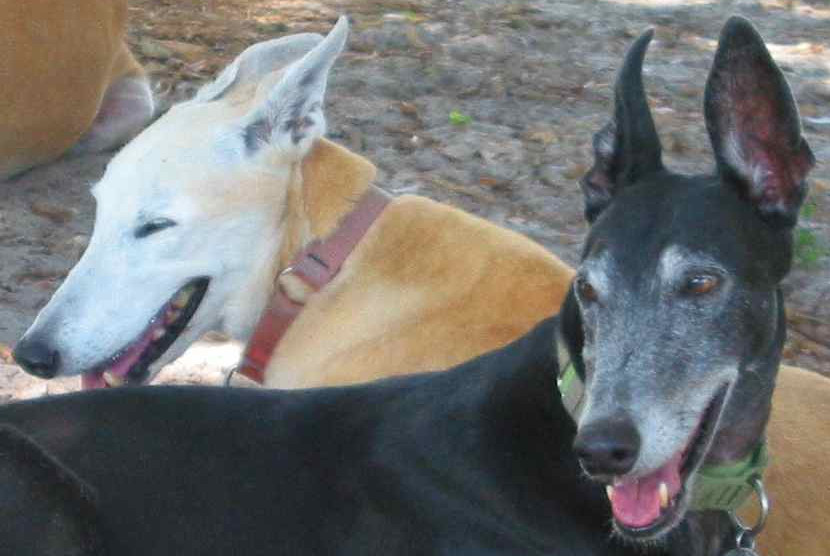
I have 5 greyhounds. Their names are Jimbo, Darryl, Tasha, Jazzy & Dakota. I never imagined owning 5 greyhounds, it just happened. The worst thing about having all of these dogs is when they forget to leave room for me on my bed.
Three Dogs on My Bed
I also volunteer at Friends of Greyhounds in Hialeah, Florida.